A simple, beginner-friendly explanation for everyday home users
Not everyone grew up with computers — and that’s okay.
For many people, especially seniors and everyday home users, computers became part of life later on. You may use one to check email, browse the internet, pay bills, or stay in touch with family, but still wonder what’s actually going on behind the screen.
This article is not written for tech professionals.
It’s written for real people who want clear, plain-language answers without jargon or pressure.
Let’s break it down together.
What Is a Computer?
At its most basic level, a computer is a tool that helps you store information, do tasks, and communicate with others.
A computer can help you:
- Write letters or documents
- Send and receive emails
- Browse the internet
- Watch videos or listen to music
- Store photos and files
- Pay bills or manage finances
Whether it’s a desktop or a laptop, the goal is the same: make everyday tasks easier.
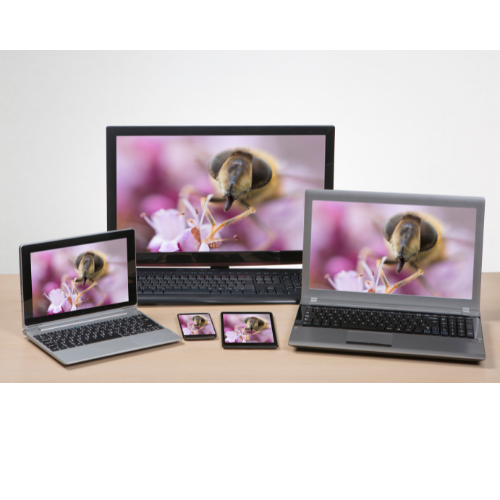
The Two Main Types of Computers
Desktop Computer
- Sits on a desk or table
- Uses a separate screen, keyboard, and mouse
- Must stay plugged in
Laptop Computer
- Portable and all-in-one
- Runs on battery or power cord
- Easy to move around the house
Both work in very similar ways — they just look different.

The Main Parts of a Computer (In Simple Terms)
You don’t need to memorize technical terms. Think of a computer like a team, where each part has a job.
🖥️ Screen (Monitor)
- Shows words, pictures, and videos
- This is what you look at
⌨️ Keyboard
- Used for typing
- Letters, numbers, and commands
🖱️ Mouse or Trackpad
- Helps you point, click, and move around
- Like your “hand” inside the computer
🧠 Inside the Computer (You Don’t See This)
Inside every computer is:
- A brain that thinks (processes information)
- Memory that remembers things
- Storage that holds files and photos
You don’t need to open the computer — it just works quietly in the background.

How Does the parts of a Computer Actually Work together?
Here’s the easiest way to understand it:
You Give It Instructions by:
- Clicking a button
- Typing on the keyboard
- Touching the screen
The Computer Thinks…
- It processes what you asked
- Very fast — in seconds or less
You See the Result when:
- A website opens
- A document appears
- A photo shows up
That’s it.
Input → Thinking → Output
Just like asking a question and getting an answer.
Software is what makes a computer useful.

What Is Software?
Examples include:
- Internet browsers (for websites)
- Email programs
- Word processors programs
- Photo viewers apps
- Computer games
Think of software as instructions that tell the computer what to do.
Without software, a computer is just a machine that can’t help you.
Why Computers Sometimes Feel “Complicated”
Computers can feel overwhelming because:
- Manufacturers market fancy parts that sound advanced
- How users may use a devise can change over time
- Advancement with new technology gets rolled out faster every year
But here’s the truth:
👉 You don’t need to understand everything to use a computer well.
Knowing the basics — like what it is and how it works — removes a lot of fear.

Common Beginner Questions
“Can I break my computer by clicking the wrong thing?”
Most of the time, no. Computers are more forgiving than they seem.
“Do I need to understand the inside parts?”
No. Just like driving a car, you don’t need to know how the engine works.
“Is it okay to learn slowly?”
Absolutely. Learning at your own pace is the best way.
Closing Thoughts
A computer isn’t something to be afraid of — it’s a tool designed to serve you.
Whether you’re new to technology or simply refreshing the basics, understanding what a computer is and how it works puts you back in control. You don’t have to be an expert. You just need clear information and a little practice.
You’re not behind.
You’re learning — and that’s exactly where confidence begins. One step at a time.